
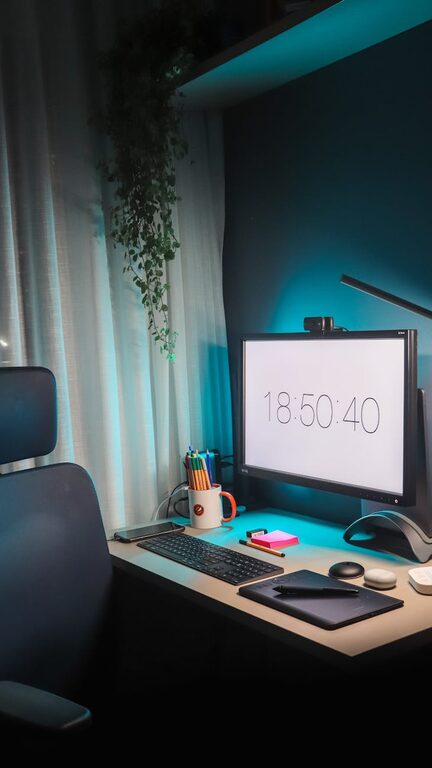
Working from home has become a common part of many people’s routines. Having a dedicated, well-designed workspace is key to staying productive and comfortable throughout the day. Whether you’re new to remote work or looking to improve your current setup, these tips will help you create a home workspace that supports focus and wellbeing.
Why a Dedicated Workspace Matters
Creating a specific area just for work signals to your brain that it’s time to focus. A clutter-free, organized space helps reduce distractions and encourages productivity. Plus, an ergonomic and comfortable setup supports your physical health, preventing aches and fatigue that can interrupt your workflow.
Choosing the Right Location
Find a Quiet Spot
Look for a place in your home that has minimal noise and foot traffic. This could be a spare room, a quiet corner in the living room, or even a section of your bedroom. The goal is to reduce interruptions and create a calm environment.
Consider Natural Light
Position your desk near a window if possible. Natural light helps reduce eye strain and improves mood. If natural light is limited, invest in good quality lamps that provide balanced, soft lighting.
Ergonomics: Comfort Meets Functionality
Invest in a Quality Chair
A supportive chair is essential. Look for one with adjustable height, lumbar support, and comfortable padding. This will help maintain good posture and prevent back pain.
Set the Desk Height Correctly
Your desk or work surface should allow your forearms to rest comfortably parallel to the floor when typing. Adjustable desks or monitor stands can help you fine-tune your setup.
Position Your Screen Properly
Your computer screen should be at eye level and about an arm’s length away. This helps avoid neck strain and encourages better posture.
Organizing Your Workspace
Declutter Regularly
Keep only the essentials on your desk to minimize distractions. Use storage solutions such as drawers, shelves, or baskets to organize supplies and paperwork.
Use Cable Management Tools
Tidy cables can prevent a messy look and save space. Simple clips, ties, or sleeves help keep cords organized and out of the way.
Add Personal Touches Sparingly
Including a few personal items—like a plant or an inspiring photo—can boost mood without overwhelming your space.
Enhancing Focus and Productivity
Set a Routine
Having set hours for work creates structure. Begin your day with a consistent ritual, such as making coffee or reviewing your to-do list, to signal the start of work mode.
Minimize Distractions
Turn off unnecessary notifications and consider apps that block distracting websites during work hours. Use noise-cancelling headphones if ambient sounds are disruptive.
Take Regular Breaks
Short breaks every hour help maintain concentration and reduce eye strain. Try standing, stretching, or a brief walk to refresh your mind and body.
Improving Comfort and Atmosphere
Control Temperature and Ventilation
A comfortable room temperature and fresh air circulation are important. Adjust your thermostat or use a small fan or heater as needed.
Use Comfortable Textiles
Consider a supportive cushion, a cozy throw blanket, or a soft rug underfoot. Comfort boosts can make your workspace feel inviting.
Keep Hydrated and Snack Smart
Keep a water bottle nearby and opt for healthy snacks to maintain energy levels without disrupting focus.
Final Thoughts
Creating a productive home workspace is about balancing functionality with comfort. By choosing the right location, investing in ergonomic furniture, organizing effectively, and developing habits that support focus, you can set yourself up for success. Small improvements often lead to big gains in productivity and wellbeing — so start experimenting with your space today!